Lumail vs Amazon SES: Which Email Platform Fits How You Work?
Amazon SES is a low-cost AWS sending API you build on. Lumail is a ready newsletter and workflow platform that AI agents can operate. Compare both.
In this guide
Amazon SES is AWS's pay-as-you-go sending service, an API and SMTP relay you build your own email product on top of. Lumail is that product already built: campaigns, subscribers, graph workflows, and transactional email in one organization that AI agents can operate.
So the real question is not which one sends email. Both do. It is whether you want to rent the cheapest possible pipe and build the editor, the list, and the automation yourself, or pay a little more per email for a platform that is ready on day one. Amazon SES facts in this comparison come from its official pricing page as of August 2026. For the compact version, see the side-by-side comparison table.
Lumail vs Amazon SES at a glance
| Decision | Lumail | Amazon SES |
|---|---|---|
| Core focus | Newsletters, workflows, transactional email, AI agents | Cloud sending infrastructure through API and SMTP |
| Pricing basis | Emails sent; unlimited subscribers on every plan | Per email sent, with optional plans and add-ons |
| Free plan | 3,000 emails per month, no credit card | No standing free allowance; AWS credits for new customers |
| Paid entry | Premium at $20/month with 40,000 emails included | $0.10 per 1,000 emails, no monthly minimum |
| AI and developer access | 89 MCP tools, ChatGPT app, CLI, TypeScript SDK, REST API | AWS SDKs and CLI; MCP server is a sample, not production |
| Automation | Graph workflows on every plan, including Free | None built in; you build sequences in your own code |
| Transactional email | Same organization, through the API or SMTP | The core product, at the same rate as marketing email |
| Best fit | Teams that want a finished email platform agents can run | AWS engineering teams that want the lowest cost per send |
Lumail's current plans are on the Lumail pricing page.
Choose Lumail if AI agents should operate your email
With SES, there is no product for an agent to operate. There is an API. AWS offers SDKs, the AWS CLI, and a set of agent skills for coding assistants, and it has published an SES MCP server as a code sample that it does not recommend for production. An assistant can learn to call the sending API, but there is no subscriber list, campaign, or workflow on the other side for it to manage.
Lumail exposes 89 organization-scoped MCP tools covering campaigns, subscribers, tags, segments, workflows, templates, analytics, and transactional sending. They work in ChatGPT, Claude, Claude Code, and Cursor, alongside a CLI, a TypeScript SDK, and a REST API. Every tool is scoped to your organization, so an agent works with your real audience and real campaign state.
In practice, you can ask an assistant to:
- draft next week's newsletter from a brief and your existing template;
- build a segment of subscribers who clicked but never bought;
- read a workflow and explain why a subscriber took a specific branch;
- send a one-off transactional email and confirm it was delivered;
- summarize last month's campaign results without exporting anything.
You keep consequential actions, like sending and scheduling, behind a human review. The point is that the whole email operation becomes something your tools can act on, not a stack of AWS services your team has to wire together first.
Choose Amazon SES if you want to build on the cheapest pipe
SES is excellent at what it is for. AWS says it sends more than a trillion emails a year for its customers, and its per-email price is among the lowest published anywhere. If your team already runs on AWS and writes email in application code, SES slots in with the tools you know.
It also covers infrastructure that Lumail does not. SES can receive inbound email and route it to your code, sells dedicated IP addresses, and offers deliverability tooling and archiving as add-ons. Lumail has no inbound email routing and does not sell dedicated IPs.
Choose Amazon SES if:
- raw sending cost matters more than anything else, and you have engineers to spare;
- you already build email in code on AWS and only need API, SMTP, and events;
- you need inbound email processing, dedicated IPs, or multi-region sending features.
Compare the pricing models, not the starting prices
Both products charge by volume, not by subscriber. The difference is what the price covers.
SES charges per email with no monthly minimum. On the à la carte option, outbound email costs $0.10 per 1,000, plus a small charge per gigabyte of data for attachments. New accounts now start on the Essentials plan at $0.16 per 1,000 unless you switch. Pro and Enterprise plans add monthly fees for more features. Dedicated IPs and deliverability tools are billed separately, and other AWS services you use to build around SES add their own charges. New SES accounts also start in a sandbox that only sends to verified addresses until AWS approves production access.
Lumail prices on emails sent, with unlimited subscriber storage on every plan:
- Free: 3,000 emails per month, no credit card;
- Premium: $20/month with 40,000 emails included, then $0.60 per 1,000;
- Business: $200/month with 400,000 emails included, then $0.40 per 1,000.
A worked example
Say you have 25,000 subscribers and send a weekly newsletter, so about 100,000 emails a month.
On SES à la carte, that is 100 × $0.10 = $10 a month, or $16 on the Essentials plan, plus data charges. On Lumail Premium, it is $20 for the first 40,000 emails plus 60,000 × $0.60 per 1,000, so $56 a month.
SES is clearly cheaper per send. That is the honest answer. What the SES number does not include is the editor, the subscriber database, the automation logic, and the engineering time to build and maintain them. If you already have those, SES wins. If you would have to build them, the gap is the cost of a product versus the cost of a project.
Compare automation and transactional email
SES has no automation builder. Welcome sequences, waits, and branches live in your application or in other AWS services such as Lambda and EventBridge. AWS used to point marketers to Amazon Pinpoint for campaigns and journeys, but Pinpoint's console support ends on October 30, 2026, so it is not a path to plan around.
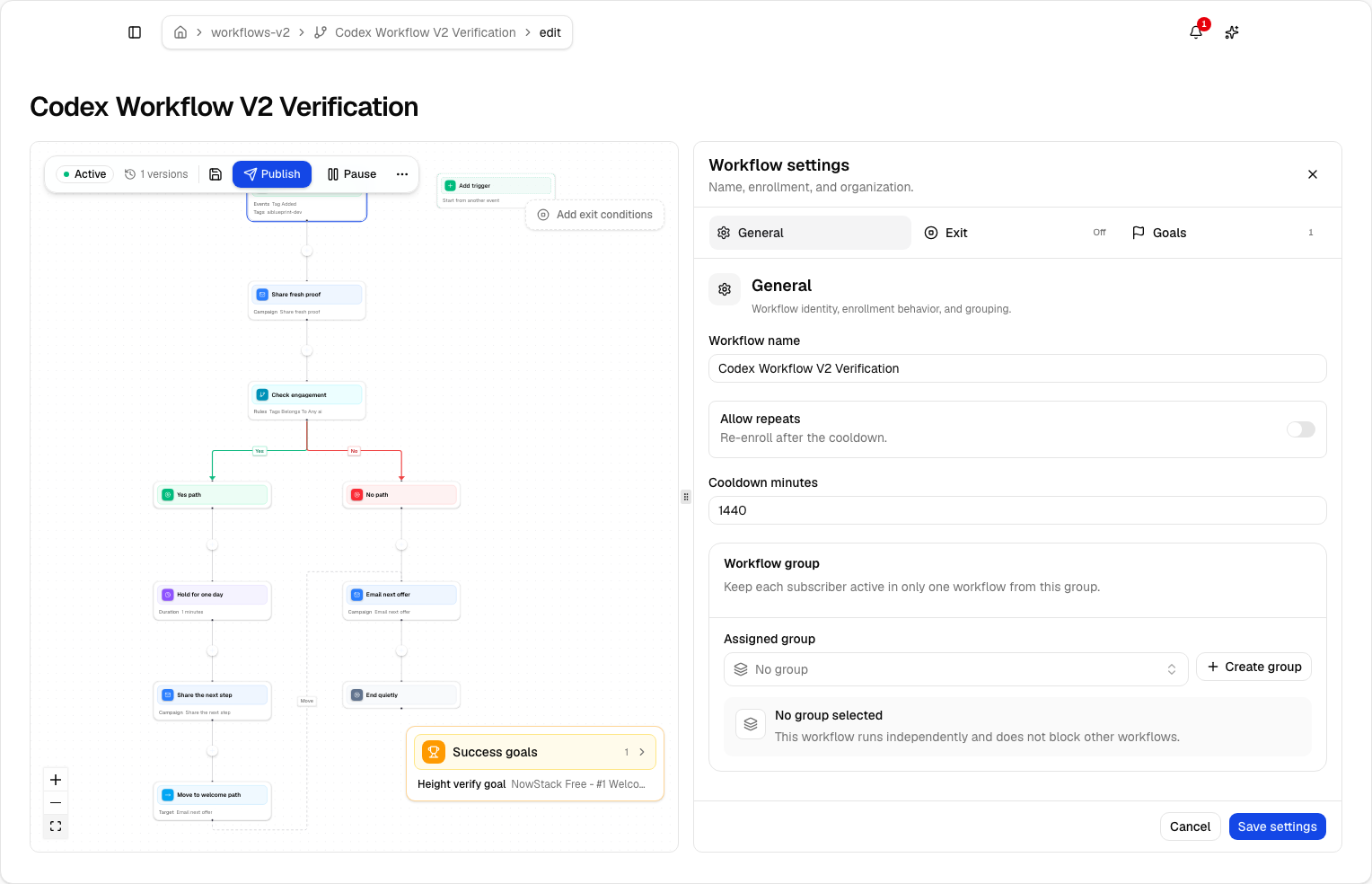
Lumail's workflow engine is graph-based and included on every plan: subscriber, tag, event, schedule, and manual triggers; email, wait, action, and webhook steps; condition and weighted branches; goals and exit rules. The same workflows are readable from the app, MCP tools, CLI, SDK, and API.
Transactional email is where SES is strongest: it is the core product, sent through the API or SMTP at the same rate as bulk mail. Lumail also sends transactional email through its REST API or SMTP relay at smtp.lumail.io:587 with STARTTLS, in the same organization as your newsletters. That keeps one domain setup, one subscriber database, and one place to debug delivery.
Migrating from Amazon SES to Lumail
Because SES does not host a newsletter, a move is mostly about your data and your code.
- Export subscribers and suppressions. Pull contacts from SES contact lists or your own database, along with bounces and unsubscribes, so past exclusions carry over.
- Authenticate your sending domain. Set up SPF and DKIM in Lumail and verify the domain. Keep SES running while DNS propagates.
- Decide where transactional email lives. Point app email at Lumail's API or SMTP, or keep SES for app email and move only the newsletter.
- Rebuild one sequence as a workflow. Take the welcome logic you coded against SES and recreate it as a graph, then test it with a few subscribers.
- Send one campaign and connect your agents. Send to a consented segment, check rendering and unsubscribe links, then run one real task through MCP.
Frequently asked questions
Is Lumail an Amazon SES alternative?
Yes, if you want a hosted newsletter and automation platform instead of sending infrastructure. SES remains the better fit when you only need to send from code on AWS.
Is Lumail cheaper than Amazon SES?
Not for raw sending. SES costs $0.10 per 1,000 emails à la carte, while Lumail Premium is $20 for 40,000 emails, then $0.60 per 1,000. Lumail's price includes the editor, workflows, and agent access you would otherwise build on SES.
What is the main difference between Lumail and Amazon SES?
SES is a sending pipe you build on. Lumail is the finished email platform, with campaigns, graph workflows, capture pages, and transactional email in one organization.
Can I migrate from Amazon SES to Lumail?
Yes. Export contacts and suppressions, authenticate your domain in Lumail, rebuild your sequences as workflows, and either move app email to Lumail or keep it on SES.
Which one should you choose?
Choose Amazon SES if your team lives on AWS, writes email in code, and wants the lowest possible cost per send, or if you need inbound processing and dedicated IPs.
Choose Lumail if you want the email platform itself rather than the parts to build one: campaigns, subscribers, graph workflows on every plan, transactional email on the same domain, and 89 MCP tools your agents can use today.
You can start Lumail free with 3,000 emails per month and no credit card, review the pricing plans, or browse the full comparison hub.