Lumail vs Elastic Email: Which Email Platform Fits How You Work?
Elastic Email splits marketing and its sending API into separate products. Lumail puts both in one plan with workflows included and unlimited subscribers.
In this guide
Elastic Email is a budget-friendly email service with its own sending infrastructure, sold as separate products: Email Marketing, priced by contacts, and an Email API, priced by volume. Lumail is one email platform: newsletters, subscribers, graph workflows, and transactional email in one organization, priced by volume with unlimited subscribers, and operable by AI agents.
Both are affordable, and both offer a free plan and an MCP server. The differences are in how the products are split, where automation sits, and how much an agent can actually do. Elastic Email facts in this comparison come from its official pricing page as of August 2026. For the compact version, see the side-by-side comparison table.
Lumail vs Elastic Email at a glance
| Decision | Lumail | Elastic Email |
|---|---|---|
| Core focus | Newsletters, workflows, transactional email, AI agents | Low-cost email marketing and a sending API, sold separately |
| Pricing basis | Emails sent; unlimited subscribers on every plan | Marketing by contacts and send cap; API by email volume |
| Free plan | 3,000 emails per month, no credit card | 3,000 emails per month, 100 per day, 1,000 contacts |
| Paid entry | Premium at $20/month with 40,000 emails included | Email API from $19/month; Email Marketing from $29/month |
| AI and developer access | 89 MCP tools, ChatGPT app, CLI, TypeScript SDK, REST API | REST API, SMTP, 12 libraries, hosted MCP with about 17 actions |
| Automation | Graph workflows on every plan, including Free | One automation on Free and Starter; unlimited on Pro |
| Transactional email | Same organization, through the API or SMTP | Via API or SMTP; the dedicated API product needs its own account |
| Best fit | Teams that want one email platform agents can run | Cost-conscious businesses, creators, and resellers |
Lumail's current plans are on the Lumail pricing page.
Choose Lumail if AI agents should operate your email
Elastic Email deserves credit here: it runs a hosted MCP server included with its plans, and assistants such as Claude, ChatGPT, and Cursor can connect to it with an API key. Its documented actions cover contacts, lists, segments, campaigns, and sending, about 17 in total. Campaign and contact actions are not available on the Email API plans, and there is no official CLI or ChatGPT app.
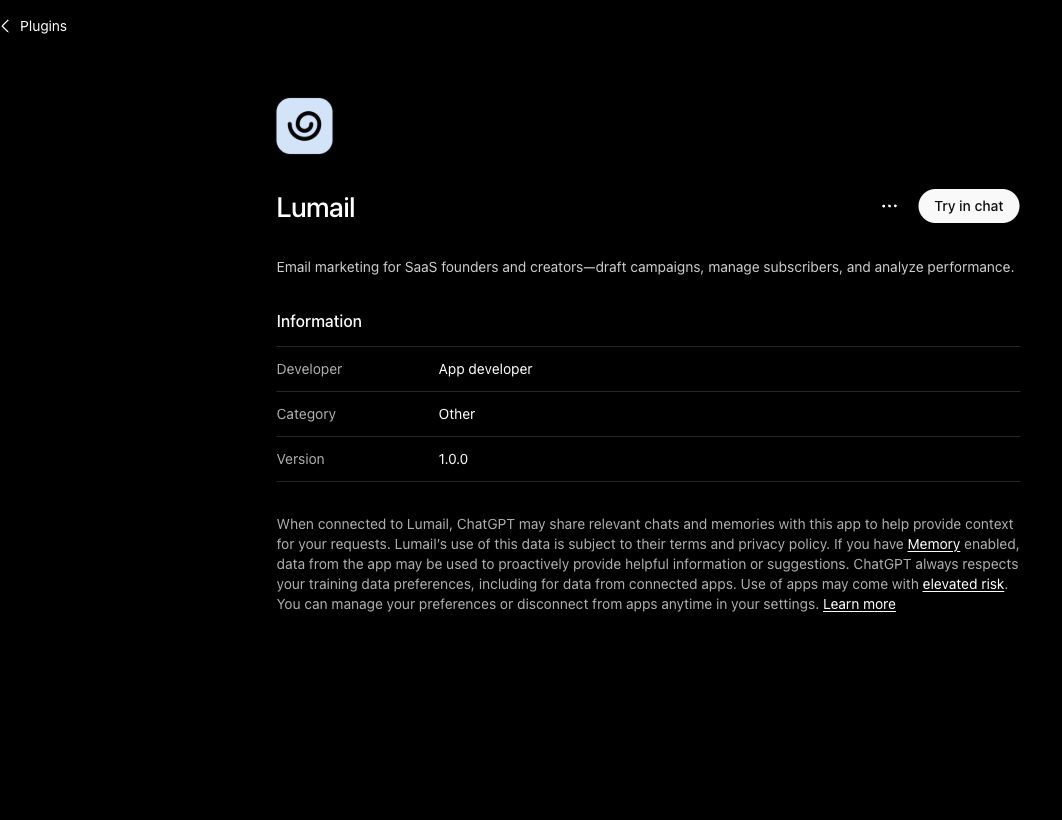
Lumail exposes 89 organization-scoped MCP tools covering campaigns, subscribers, tags, segments, workflows, templates, analytics, and transactional sending. They work in ChatGPT, Claude, Claude Code, and Cursor, alongside a CLI, a TypeScript SDK, and a REST API. Every tool is scoped to your organization, and because marketing and transactional email share one account, an agent sees the whole picture.
In practice, you can ask an assistant to:
- draft next week's newsletter from a brief and your existing template;
- segment subscribers by tag or engagement before a targeted send;
- build or edit a workflow and explain why a subscriber took a branch;
- send a transactional test and check its delivery;
- summarize last month's results without exporting a CSV.
Sending and scheduling stay behind human approval. The workflow step is the one Elastic Email's MCP cannot match, because workflows are part of Lumail's agent surface.
Choose Elastic Email if you want low-cost sending plus extras
Elastic Email has run its own mail infrastructure since 2010, which is how it keeps prices low. Its Email API Starter plan sends 50,000 emails a month for $19, and it offers official libraries for 12 languages.
It also offers things Lumail does not. Email Marketing includes a landing page editor, signup forms, and a link-in-bio page, and the Pro plan adds paid newsletters with Stripe checkout. Agencies can resell it under their own brand with subaccounts. Pro plans process inbound email, and private IPs are available from $40/month. Lumail has no inbound email routing, does not sell dedicated IPs, and is not a website or paid-newsletter builder.
Choose Elastic Email if:
- you want a sending API at $19/month for 50,000 emails;
- you want landing pages, forms, and paid newsletters with checkout in one tool;
- you are an agency that needs white-label sending and subaccounts.
Compare the pricing models, not the starting prices
Elastic Email uses two different pricing models depending on the product. Email Marketing is priced by stored contacts plus a monthly send cap: Starter at $29/month and Pro at $49/month both cover 2,500 contacts and 37,500 emails, and the difference between them is features, including automation. The Email API is priced by volume: Starter at $19/month and Pro at $49/month for 50,000 emails. Going over a limit moves you to a higher tier if auto-upgrade is on.
Lumail prices on emails sent, with unlimited subscriber storage on every plan:
- Free: 3,000 emails per month, no credit card;
- Premium: $20/month with 40,000 emails included, then $0.60 per 1,000;
- Business: $200/month with 400,000 emails included, then $0.40 per 1,000.
A worked example
Say you have 2,500 subscribers, send a weekly newsletter (about 10,000 emails a month), and want a welcome sequence plus a re-engagement flow.
On Elastic Email Marketing, 2,500 contacts puts you on Starter at $29/month, but Starter includes one automation. Two automations means Pro, at $49/month.
On Lumail Premium, 10,000 emails is $20/month, with graph workflows included and no subscriber cap. Growing the list to 10,000 subscribers would not change that price unless you sent more.
The picture flips for pure sending. If you only need an API for 50,000 app emails a month, Elastic Email API Starter at $19 beats Lumail's $26 ($20 plus 10,000 × $0.60 per 1,000).
Compare automation and transactional email
Elastic Email has a visual automation builder with triggers, sequences, and behavior-based flows. The catch is the plan gate: Free and Starter include one automation, and unlimited automations need Email Marketing Pro.
Lumail's workflow engine is graph-based and included on every plan, including Free: subscriber, tag, event, schedule, and manual triggers; email, wait, action, and webhook steps; condition and weighted branches; goals and exit rules. The same workflows are readable from the app, MCP tools, CLI, SDK, and API.
For transactional email, Elastic Email offers a REST API and SMTP on Email Marketing Starter and above, and on every Email API plan. Webhooks require Pro, and moving to the dedicated Email API product means opening a new account. Lumail sends transactional email through its REST API or SMTP relay at smtp.lumail.io:587 with STARTTLS, in the same organization as your newsletters.
Migrating from Elastic Email to Lumail
This is a standard platform switch, with a few features that will not carry over.
- Export contacts and suppressions. Export contacts as CSV, including unsubscribes and bounces, and import them into Lumail so past exclusions carry over.
- Authenticate your sending domain. Set up SPF and DKIM in Lumail and verify the domain. Keep Elastic Email live while DNS propagates.
- Rebuild your automations as workflows. Elastic Email flows do not import, so recreate each one as a graph and test it with a few subscribers.
- Move transactional sending. Point apps from Elastic Email's SMTP or API to Lumail's API or
smtp.lumail.io:587. - Plan for what does not move. Paid newsletters, Stripe checkouts, and landing pages have no Lumail equivalent; Lumail offers capture pages for subscriber acquisition.
Frequently asked questions
Is Lumail an Elastic Email alternative?
Yes, if you want campaigns, workflows, and transactional email in one account priced by volume with unlimited subscribers. Elastic Email is the better fit for cheap API-only sending or paid newsletters with checkout.
Is Lumail cheaper than Elastic Email?
It depends on the product. For 50,000 API emails, Elastic Email is $19 and Lumail is $26. For a 2,500-subscriber newsletter with two automations, Elastic Email Pro is $49 and Lumail is $20.
What is the main difference between Lumail and Elastic Email?
Elastic Email splits marketing and API sending into separate products and gates automation behind Pro. Lumail keeps everything in one organization, with graph workflows on every plan and 89 MCP tools.
Can I migrate from Elastic Email to Lumail?
Yes. Export contacts as CSV, authenticate your domain, rebuild automations as workflows, and repoint transactional sending. Paid newsletters, checkouts, and landing pages do not carry over.
Which one should you choose?
Choose Elastic Email if price per send is the main concern, you want landing pages or paid newsletters in the same tool, or you resell email under your own brand.
Choose Lumail if you want one account for marketing and transactional email, workflows on every plan without a Pro upgrade, no ceiling on stored subscribers, and 89 MCP tools your agents can use today.
You can start Lumail free with 3,000 emails per month and no credit card, review the pricing plans, or browse the full comparison hub.