Lumail vs Plunk: Which Email Platform Fits How You Work?
Plunk is open source and billed per email. Lumail includes volume and gives AI agents 89 MCP tools. Compare pricing, workflows, and transactional email.
In this guide
Plunk is an open-source email platform you can self-host or use as a hosted cloud at $0.001 per email; Lumail is a hosted email platform that AI agents operate through 89 MCP tools, with volume included in monthly plans. Both handle campaigns, graph workflows, and transactional email, so the difference is who runs the software and who does the work.
This is one of the closest comparisons in the category: both products bill by sends rather than contacts, and both keep transactional email and marketing on one contact record. Plunk facts in this comparison come from its official pricing page as of August 2026; verify current limits before purchasing, because plans change. For the compact version, see the side-by-side comparison table.
Lumail vs Plunk at a glance
| Decision | Lumail | Plunk |
|---|---|---|
| Core focus | Campaigns, workflows, transactional email, and AI-agent operations | Open-source email platform, hosted cloud or self-hosted |
| Pricing basis | Monthly plans with included email volume; unlimited subscribers | Per email sent from one monthly pool; unlimited contacts |
| Free plan | 3,000 emails per month, no credit card | 1,000 emails per month, Plunk footer on marketing emails |
| Paid entry | Premium: $20/month with 40,000 emails included | $0.001 per email, no monthly base fee |
| AI and developer access | 89 MCP tools, ChatGPT app, CLI, TypeScript SDK, REST API | REST API, SMTP, and a Node helper; no official MCP server |
| Automation | Graph workflows on every plan | Graph workflows on every hosted plan |
| Transactional email | API or SMTP in the same organization as campaigns | API and SMTP, plus inbound email on a verified domain |
| Best fit | Teams running email through agents, code, and a visual app | Developers who want open-source email they can host themselves |
Lumail's current plans are on the Lumail pricing page.
Choose Lumail if AI agents should operate your email
Plunk is a developer platform, and its surface reflects that. It offers a REST API, SMTP, and an official Node helper for tracking events and sending email, but no official MCP server, ChatGPT app, or CLI. A community-built MCP server exists; it is not a Plunk product.
Lumail treats agents as first-class operators. It exposes 89 organization-scoped MCP tools covering campaigns, subscribers, tags, segments, workflows, templates, analytics, and transactional sending. The same operations run in ChatGPT, Claude, Claude Code, and Cursor, and through a CLI, a TypeScript SDK, and a REST API. Every tool is scoped to your organization, so an agent works with your real audience and real campaign state, not a sandbox.
In practice that means you can ask an assistant to:
- draft this month's product update from your changelog and send a test to the team;
- build an onboarding workflow that branches on whether a new user activated;
- segment users by tag or engagement before a targeted announcement;
- read a workflow run and explain why a user took a specific branch;
- summarize last month's campaign results without exporting a CSV.
With Plunk, each of those is code you write against the API. With Lumail, it is a request to the assistant you already use, while consequential actions like sending stay behind human approval.
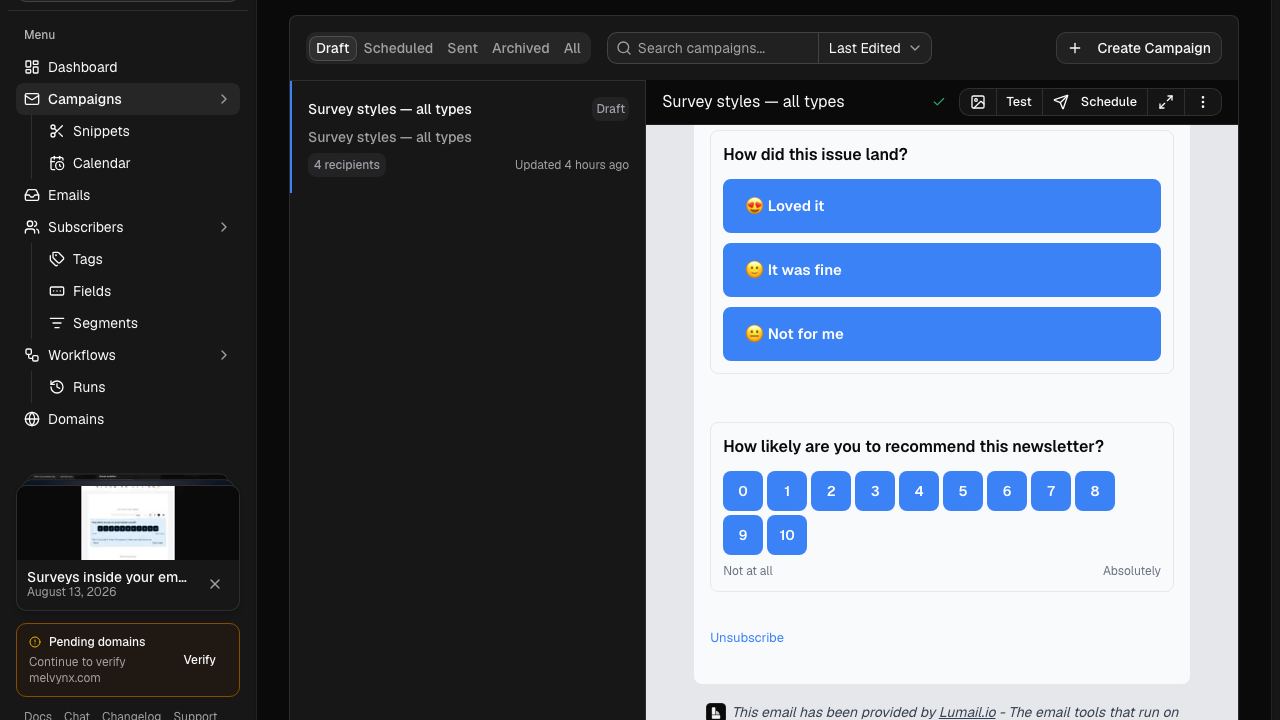
The second difference is acquisition. Lumail includes capture pages for growing a list, so the signup form, the audience, and the sequence that follows live in one place. Plunk lists no capture or landing-page product; you build signup on your own site and send contacts to its API.
Choose Plunk if you want open source you can run yourself
Plunk's strongest argument is one Lumail cannot match: the code is open. Plunk is AGPL-3.0, inspectable, and self-hostable with Docker Compose, sending through your own AWS SES account. If your company requires owning the stack, or you want to read the code that sends your email, that settles the question.
The hosted cloud is a good product in its own right. Pricing is one number, with no contact tiers, no feature tiers, and a monthly spend cap. The cloud is EU-hosted and described as GDPR compliant. Plunk also receives email: point an MX record at it and inbound messages become events your workflows can react to.
Choose Plunk if:
- you want to self-host open-source software and pay only for your infrastructure and AWS SES;
- you send a few thousand emails a month and would rather pay cents than a $20 plan;
- you need inbound email alongside transactional sending, campaigns, and workflows.
Lumail is hosted only, is not open source, and has no inbound email product. Its center of gravity is the operating layer around email: audiences, workflows, delivery, and programmable access for agents and code.
Compare the pricing models, not the starting prices
Both products bill by sends, not contacts, so a growing list never raises the bill on either one. What differs is the shape of the bill.
Plunk's hosted cloud is pure pay-as-you-go. The free tier covers 1,000 emails a month, with a Plunk footer on marketing emails. The paid plan charges $0.001 per email, or $1 per 1,000, with no base fee and no branding. Campaigns, transactional email, workflow sends, and inbound messages all draw from the same pool, and an email with attachments counts twice. Self-hosting removes the Plunk fee entirely; you pay AWS SES and run the servers yourself.
Lumail sells included volume, with unlimited subscribers on every plan:
- Free: 3,000 emails per month, no credit card;
- Premium: $20/month with 40,000 emails included, then $0.60 per 1,000;
- Business: $200/month with 400,000 emails included, then $0.40 per 1,000.
A worked example
Say you run a SaaS product with 10,000 users. In a normal month you send a product update to everyone, an onboarding sequence to new signups, and receipts and password resets. Call it 40,000 emails.
On Plunk's hosted cloud, 40,000 emails at $0.001 each is $40. On Lumail, 40,000 emails fits inside Premium, so the month costs $20.
Now shrink the program. At 5,000 emails a month, Plunk costs $5 and Lumail costs $20, because you have passed the 3,000-email free plan. The two lines cross at 20,000 emails, where both cost $20. Between 3,000 and 20,000 emails a month, Plunk is cheaper. Above 20,000, Lumail is, and the gap widens with scale: 400,000 emails is $400 on Plunk and $200 on Lumail Business.
Self-hosted Plunk changes the math again, because the only per-email cost is AWS SES. That is real savings if you already operate infrastructure, and real work if you do not. Run a normal month and your busiest month through both models before deciding.
Compare automation and transactional email
Automation is closer here than in most comparisons. Plunk has graph workflows on every hosted plan: they start from an event, a manual trigger, or a schedule, and can send email, wait, wait for an event, branch on a condition, call a webhook, and update a contact. Workflow sends draw from the same usage pool as everything else.
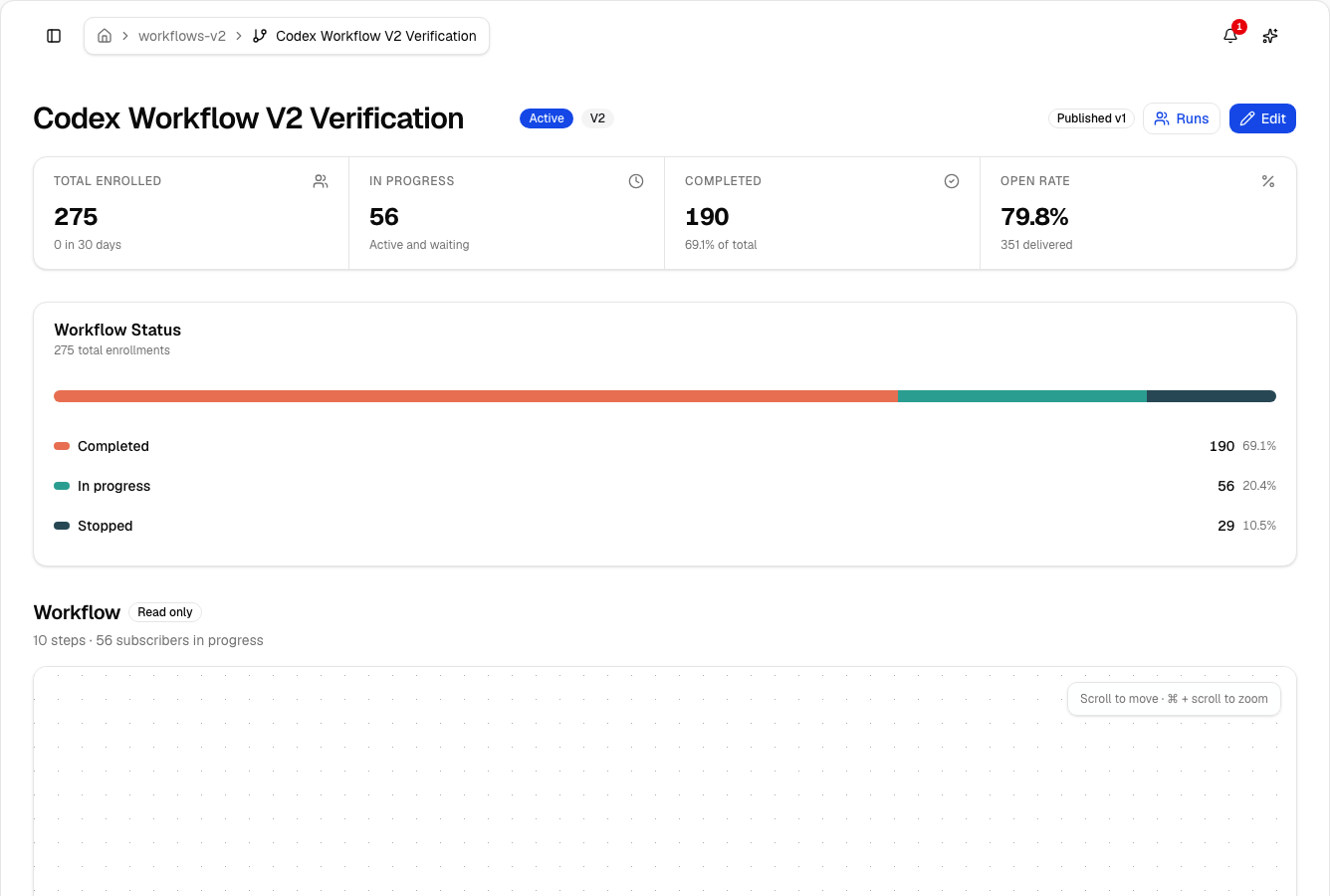
Lumail's workflow engine is also graph-based and included on every plan: subscriber, tag, event, schedule, and manual triggers; email, wait, action, and webhook steps; condition and weighted branches; goals and exit rules; A/B paths. The difference is access. The same workflow is readable and editable from the app, MCP tools, CLI, SDK, and API, so an agent can draft a sequence or trace why a user got a specific email.
Transactional email is close to a tie on sending. Plunk sends through its API or SMTP. Lumail sends through the REST API or the SMTP relay at smtp.lumail.io:587 with STARTTLS, from the same organization as your campaigns, so receipts and newsletters share one domain reputation and one subscriber record. If you need to receive email, Plunk does it and Lumail does not.
Migrating from Plunk to Lumail
The two products are not API-compatible, so treat this as a small engineering project, not an import.
- Export contacts and suppressions. Export contacts from the Plunk dashboard, including unsubscribed contacts. Import both into Lumail so past opt-outs stay respected.
- Authenticate your sending domain. Add SPF and DKIM records for Lumail and verify the domain. Keep Plunk sending until DNS has propagated.
- Re-point transactional sends. Replace Plunk API calls or SMTP credentials with Lumail's API or
smtp.lumail.io:587, then send a test for every template before cutting over. - Rebuild workflows as graphs. Recreate each Plunk workflow in Lumail. The building blocks line up closely: events become triggers, delays become waits, conditions become branches. Test the success and exit paths with test contacts.
- Connect your agent. Add Lumail's MCP tools to ChatGPT, Claude, or Cursor and hand it one real task, such as drafting the next product update. Plunk has no equivalent step, and it is the fairest test of whether the move pays off.
If you rely on Plunk's inbound email, keep that piece on Plunk or plan a replacement before you switch.
Frequently asked questions
Is Lumail a Plunk alternative?
Yes, if you want campaigns, graph workflows, and transactional email in one hosted organization that AI agents can operate. Plunk stays the better choice if you want open-source software you can self-host.
Is Lumail cheaper than Plunk?
It depends on volume. Between 3,000 and 20,000 emails a month, Plunk's $0.001 per email is cheaper; above 20,000, Lumail's $20 Premium plan with 40,000 emails included costs less. Self-hosted Plunk has no Plunk fee at all.
What is the main difference between Lumail and Plunk?
Plunk is an open-source, developer-first email platform you can host yourself, with no official MCP server. Lumail is a hosted platform built for AI agents, with 89 MCP tools, a ChatGPT app, a CLI, an SDK, and capture pages.
Can I migrate from Plunk to Lumail?
Yes. Export contacts and suppressions, authenticate your domain, re-point API or SMTP sends, and rebuild workflows as Lumail graphs. There is no automatic importer, and the APIs are not drop-in compatible.
Which one should you choose?
Choose Plunk if open source matters to you, if you want to self-host on your own AWS SES account, or if you send a few thousand emails a month and want to pay only for what you use. It is a well-built developer tool, and it also receives email.
Choose Lumail if email is a system your agents and your team operate together: campaigns drafted and inspected through 89 MCP tools, workflows an agent can build and explain, transactional email on the same domain, and 40,000 emails included for $20 a month.
You can start Lumail free with 3,000 emails per month and no credit card, review the pricing plans, or browse the full comparison hub. Comparing more than two tools? See the best Plunk alternatives.